The world of video is truly fascinating. There is a ton of epic footage now that the cameras have gone cheaper and also with the onset of affordable ancillary gears like gimbals, sliders and so on. The creativity one can output from their projects is bound only by the limits of his/her imagination. Also with time, the post-processing tools have undergone massive transformation and are now capable of creating exactly the same image which you have on your mind’s canvas. Starting with simple transition to full blown creation of a scene from scratch, there are interesting times ahead of us if you have the zeal to learn.
Compositing has always fascinated me. If you are aware of layers in any image editing software, it is the same for video. You can drop off different elements on different layers and adjust their parameters to create one seamless finished output. In this case, a video. Lately, I tried my hands at compositing a basic scene and it came out well. Here I am turning a mundane landscape scene into something interesting. By no way, I am saying this is the best but it certainly blew away my mind. It made me realize how much is possible now even if one is on a tight budget. Hope this inspires you to create something wonderful. I would love to see your projects down in the comments.
“Birds from Australia” – that’s what the locals call them! They are none other than the Seagulls. White, slender and chirpy on a cold wintery morning. We Mumbaiikars are one lot know for resilience and crowd camaraderie. Similar to our characteristics, these birds too come each morning in flocks and entertain us with their chirpy tales. Furthermore, they even feast on fried snacks which they pounce upon just like the way we do on unhealthy stuff.
With all the above similarities, no wonder we share a mutual respect. They migrate during the winter season along the coast & fill you with delight. We are one simple lot who get pleasure in smallest of the things hence the seagulls are indeed a huge thing for us. The local’s chest fills with pride as they tell me how these birds come each morning and fill them up with delight. As to how public flocks in numbers to get a glimpse of these migratory species even if it means getting up early on a chilled wintery sunday morning. Having a cup of hot chai with our famous vadapav in other hand as one savors the high pitch of these birds – that’s the ultimate bliss. Taking selfies with our guests(In India, guests is often given the status of a God) to savour for a lifetime.
Personally, I am not sure how long this migration would continue. Having photographed them over the years, I have noticed now they arrive just in a single shift a day as opposed to twice a day. The numbers though huge are still relatively less compared to the previous years. Wish we could be more considerate and not feed them with the fried savories which harm them in the long run for our own pleasures. The best way to enjoy is to just rise up and pay them a visit which will leave you with a blissful experience and tons of memories for a lifetime. Let’s preserve them in our souls(cameras too if need be) and take a step to providing them with an environment which will help them visit us in even greater numbers the next year and so on. Let there be a time when they can feel, they are not merely “Birds from Australia” but “Natives of India”!
8D audio! I have been stumbling upon this term over youtube & have laughed out ever since. I believed, it was one of the clickbait techniques to make people click on the videos & then dish them out a slightly enhanced version of the song. Come to think of it, all these videos recommend that one listens to the audio with headphones. Our headphones, the most regular ones have two sound channels – the right and the left. Then just wonder how would these 8D audio sounds would be effective? Nor there is equipment (as far as I know) which can record sound in 8D. This sounded more like a marketing gimmick to me at first. Wait, there is even 10D and 20D but I am not even going into them. 8D is the rage. It has been for quite a while. If you have been a youtuber, you would have definitely came across these 8D sound tracks. Last night, out of curiosity (& perhaps little bit of irritation at seeing these on my timeline) I decided to play an 8D audio on youtube. The experience left me with quite a lot to ponder!
Before we head into details, 8D audio is nothing but normal stereo soundtrack put through a software which creates an illusion of it being coming from all around you. It is similar to those bathroom/room sound effect preset which you find in your sound card’s panel. I plugged in my ant earphones & loaded one 8D sound track. It felt like the sound was circling around in my head. Some tracks even recommend closing your eyes. I did just that and the effect was even more immersive. It felt as if the singer was right in front of me hovering around as I stood. I was left stunned & surprised at the sheer ingenious behind this audio technique . A little echo and panning of sound via left-right channels could have such a beautiful experience. Ofcourse, not all sound tracks sounded good in 8D. Some I felt are best in their original stereo format.
After a while, I got the drift. The sound just panned from left to right(or vice-versa) at pre-determined intervals. The novelty began to wear off. I began to wonder, couldn’t those who are creating these 8D soundtracks not be so monotonous and shift the sound as per the audio’s demand? Common, how difficult it would be. Perhaps further manual work than the computer’s auto-pilot. And if you ask me, manual work which is done with utmost consideration is any day better than just applying a computer preset. I listened on and finally managed to find some where the sound looped but without any intimation or at a set interval. They sounded so rich and I was totally immersed into it. Keeping eyes closed further enhances the experience as one is not distracted by other stimuli. I went further and listened to nature sounds in 8D like thunderstorm, birds chirping and so on. They felt so natural. Ofcourse, on youtube there are countless of creators offering 8D audio soundtracks however not all of them are worth a listen. Not all songs are suited for 8D effect. Some are best left & listened in their original avatar.
My final verdict would be, 8D is definitely not a gimmick. It works & well at that. However, you need to keep aside your pre-conceived aural notions. As far as I believe, 8D audio can be more used in audio therapy. It can also be applied for meditation. 8D audio is still a niche market but sure holds the promise of a bright future with refinements. For now, let’s be happy in immersing our senses into the few good 8D soundtracks on youtube. What do you think about 8D audio? Like it or absolutely despise it, pour you thoughts in comments.
What do you need for a good photograph? Subject? Light? A big yes indeed but don’t forget the camera itself. A good photograph knows no camera. It doesn’t matter if it’s your cheap cellphone or the pricey DSLR. You need to have it with you every-time & everywhere you go. It’s the only way you won’t miss great photographs & succeed in improving as a photographer.
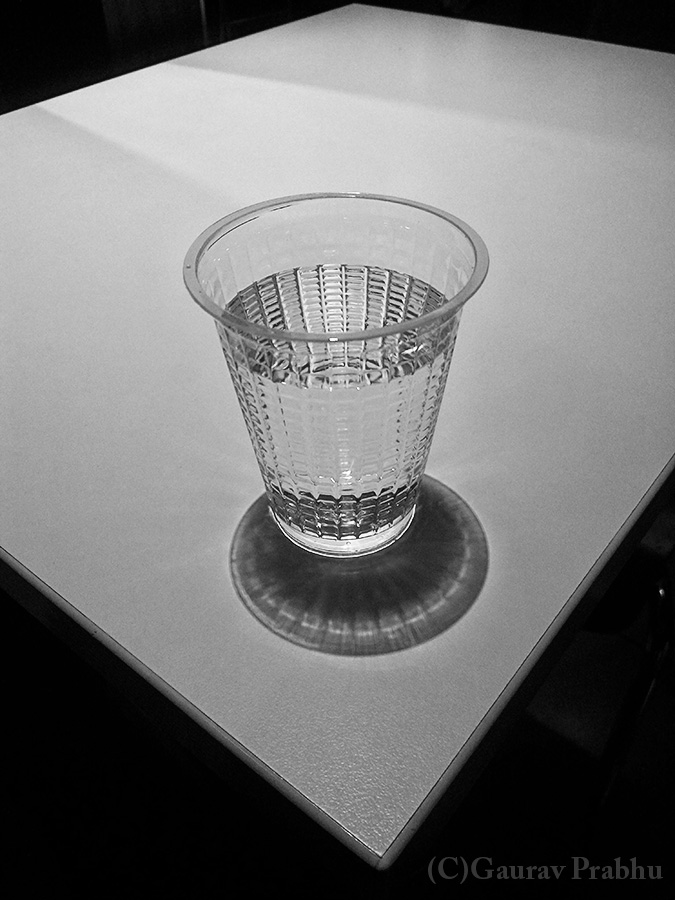
The other day I was at McDonald’s with a friend. A humble water glass lay besides me and looked absolutely stunning under the beam of light cast upon it. I took out my mobile & snapped the following photographs. Truly a mundane subject transformed with the power of light.
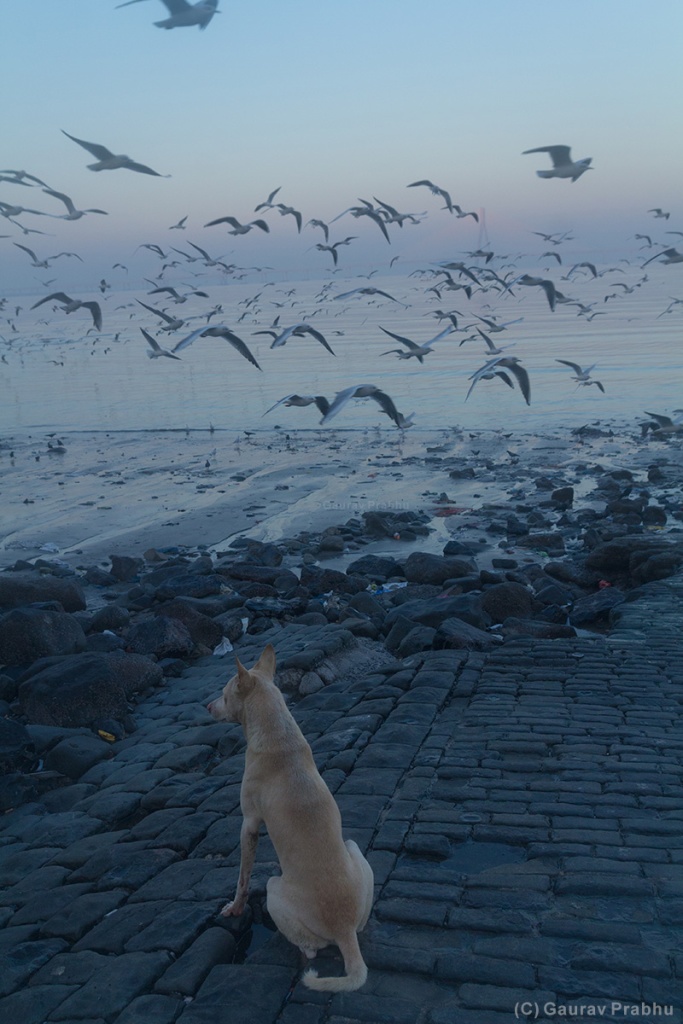
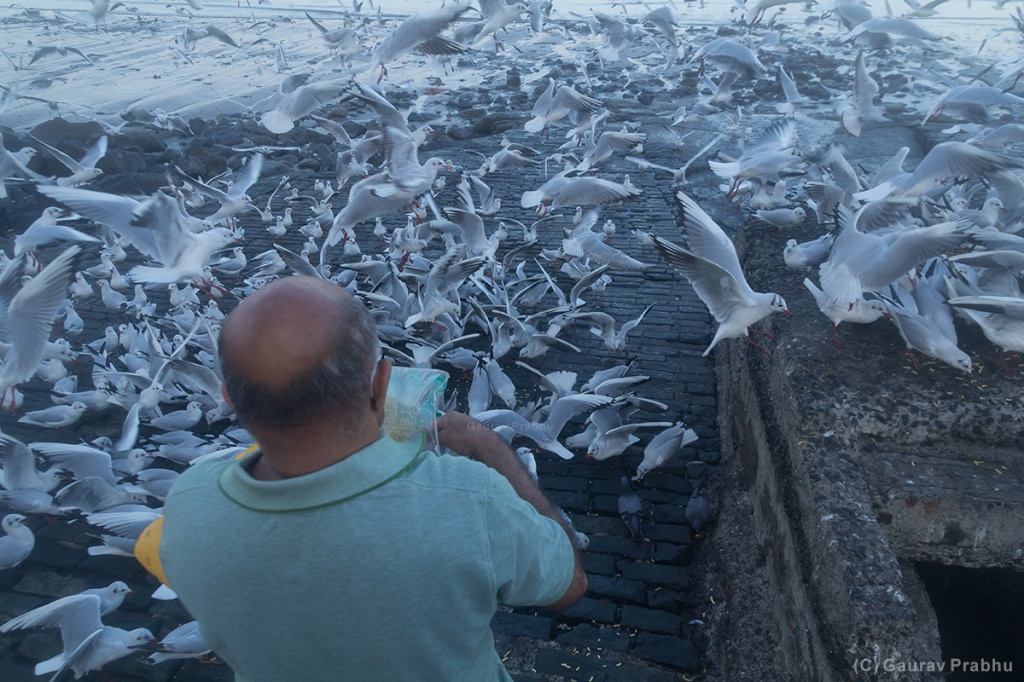
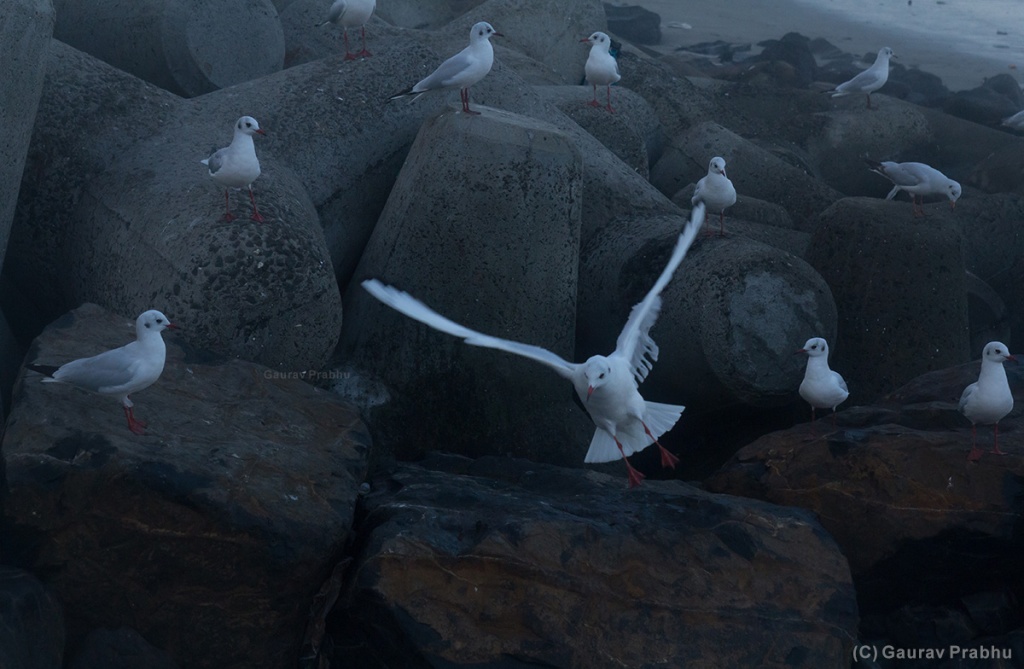
Amidst a sea of black, there was white. From far off, white dotted the sea of black. On closer inspection, it bought immense delight & even surprise on the faces of onlookers. Some commented the new comers to be from Australia. The local vendor had a gala time weaving stories & charging premium for the yellow gathias. It was time of “Seagulls”. They hit the Mumbai coast a few weeks ago much to dismay of the pigeons who were ignored by locals.
The seagulls as per the chana vendor(bird food vendor) arrived everyday early morning around 7AM & sat around till the sunset. In evening, large number of people flocked around to catch a glimpse of these white birds & they left no stone unturned even in feeding them. From little kids to elderly, everyone was fascinated by these small white wonders. Clicking away on mobile or trying to take selfie as they feed them.
I made the most of this opportunity and returned with the following pictures. Armed with a Canon EF-S 55-250mm IS & Canon 60D, I ventured near the coast for a few days. Each day was a unique experience in itself. Ofcourse, I had the challenge to work around the slow autofocus of my lens. I had adequate reach but the lens slow focus meant I missed a lot of shots. That also meant I had to take ample shots to have the good ones. It was all about patience & finding the perfect angles. There were even moments where I was equally tempted to swap on my wide angle zoom lens as at times, the seagulls flew really close.



 ShutterTux - Photography & Life!